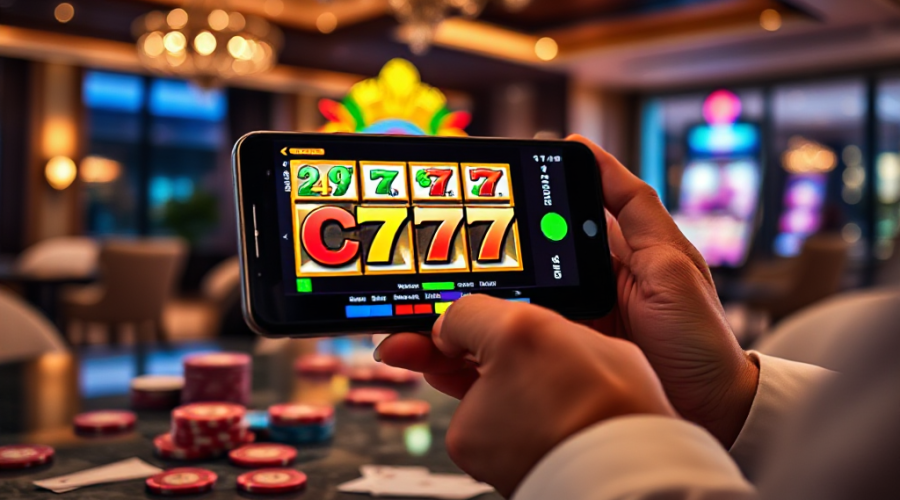
How to Get CT777 Working on Your Phone From a Fresh Install
The single most common mistake people make with ct777 is treating the APK like a normal Play Store download. They tap the file, watch the install bar finish, open the app, and then message support ten minutes later saying nothing loads. Nine times out of ten, the problem started before the app ever opened: the file came from a mirror site, the phone blocked the install silently, or the permissions were never granted. I have handled enough of these tickets to know the pattern, and it almost always traces back to the first two minutes of setup rather than anything wrong with the platform itself.
So here is the straight answer. To get CT777 running properly, you need three things in the right order: a clean APK from the official source, Android’s “install from unknown sources” permission enabled for your browser or file manager, and a stable connection for the first launch so the app can pull its initial game data. Skip any one of those and you will get a black screen, a stuck loading spinner, or an install error that looks scarier than it is. Get all three right and the app opens on the first try.
What follows is the exact sequence I walk people through on support tickets, written the way I would explain it to someone sitting next to me with their phone in hand. No jargon, no assumptions about what you already know.
Setting up CT777 correctly, from download to first game
Start by opening your phone’s browser and going to the official site rather than a search result, a Telegram forward, or a link someone posted in a group chat. Third-party mirrors are the number one source of corrupted installs. The official page gives you the current build, and it is the only version that will connect to the live game servers without errors.
Before you tap download, check your Android version. Anything from Android 8 upward handles the app comfortably. If you are on something older, the install may complete but the graphics layer will struggle, and you will blame the app for a problem that is really the operating system. You can find your version under Settings, then About Phone.
Now the part everyone skips. When the APK finishes downloading, do not tap it from the notification shade. Open your file manager, go to the Downloads folder, and tap the file from there. Tapping from a notification sometimes launches a preview handler instead of the installer, which is why people see “cannot open file” and assume the download failed. From the file manager, the installer opens cleanly.
Android will now show a warning about installing from an unknown source. This is normal for any app that does not come through the Play Store. Tap Settings in that popup, find the toggle for “Allow from this source,” and turn it on. Then go back and tap Install again. If you are on a Xiaomi, Oppo, Vivo, or Realme device, you may also see a second prompt asking you to confirm through the manufacturer’s security app. Approve it once and it will not ask again.
The install itself takes under a minute on most phones. When it finishes, do not open the app immediately. Give it a moment, then launch it from your home screen. The first launch is where the app registers your device and pulls down the game catalogue, so keep your Wi-Fi or mobile data on and do not switch networks mid-load. If the spinner sits there for more than about thirty seconds, close the app fully from your recent apps list and open it again. That clears the initial handshake in almost every case.
Once you are inside, the signup flow is short. You will be asked for basic details and a password. Use something you have not used elsewhere, because gaming accounts are a common target for credential stuffing. Write the login down somewhere offline. Support cannot always recover an account if you forget both the password and the registered contact.
Now you can actually play. The platform groups its games into slots, card games, and lottery-style titles. If you are new, spend your first session on the lower-stake slots to get a feel for how the reels and bonus rounds behave. The interface is built for one-handed phone use, so the buttons are large and the navigation sits at the bottom of the screen where your thumb naturally rests.
One thing worth doing on day one: check the daily bonus section. Most reward programs on platforms like this reset on a fixed schedule, and claiming on the first day starts your streak. Missing the first claim does not lock you out, but it does delay the point at which the rewards get more generous.
Withdrawals are the other area where setup matters. Before you request a payout, make sure your account details are complete and verified. Platforms in this space generally process withdrawals faster when the account has no outstanding verification flags. If a withdrawal sits in pending for longer than you expect, the cause is almost always an incomplete profile rather than a payment problem.
If something does go wrong at any point, the fix is usually one of four things: reinstall from the official source, clear the app cache, check that your phone has at least a gigabyte of free storage, and confirm your connection is not behind a restrictive network. Those four steps resolve the overwhelming majority of tickets I see.
Fixing the problems that come up after installation
Most issues people report are not bugs. They are the predictable result of a phone doing exactly what it was told. Here is how I diagnose each one.
The app installs but will not open. This is nearly always a storage or permission problem. Check free space first. Then go to Settings, Apps, find the app, and clear both cache and data. Clearing data logs you out, so have your credentials ready. If it still will not open, uninstall completely, restart the phone, and reinstall from the official page. A restart between uninstall and reinstall matters more than people expect, because it clears stale installer registrations.
Games load but run slowly. On mid-range phones, the biggest culprit is background apps. Close everything you are not using before launching. Also check whether your phone is in battery saver mode, which throttles the processor and makes animations stutter. Turn battery saver off while playing.
The app disconnects mid-game. This is a network issue, not an app issue. If you are on mobile data, switch to Wi-Fi, or vice versa. If you are on a shared or public network, the connection may be dropping packets. A stable home connection is the safest option for anything involving real stakes.
Login fails with a correct password. Try the password reset flow once. If the reset email or message does not arrive within a few minutes, check your spam folder before contacting support. If it still does not arrive, the contact details on the account may be out of date, and support will need to help you update them.
Withdrawal is pending longer than expected. Confirm your account is fully verified and that the payment details you entered match your identity documents. Mismatches are the most common reason a payout gets held. Once corrected, most withdrawals clear quickly.
The app updated itself and now behaves differently. Updates sometimes reset local preferences. Go through your settings once after a major update and re-enable notifications and any display preferences you had set. This takes two minutes and saves a lot of confusion.
One habit that prevents most of these issues: keep the app updated from the official source only, and do not install a second copy from a different site. Two versions of the same app on one phone will fight over the same data and produce errors that look random but are not.
If you have worked through all of this and something still is not right, contact support with specifics. Tell them your phone model, your Android version, the exact error message, and what you were doing when it appeared. Tickets with that level of detail get resolved far faster than tickets that say “it is not working.”
Setup on a phone is genuinely a five-minute job when the steps are done in order. The people who run into trouble are almost always the ones who skipped the permission step, grabbed a file from the wrong place, or tried to open the app before the first launch finished loading. Get those three right and the rest of the experience takes care of itself.
Common questions about getting started
Do I need to allow unknown sources to install the app?
Yes. Because the app is distributed as an APK rather than through the Play Store, Android requires you to grant install permission to whichever app you use to open the file, usually your browser or file manager. You can revoke that permission afterward once the install is complete.
Why does the app show a black screen on the first launch?
A black screen on first launch usually means the initial data download did not finish. Close the app completely from your recent apps list, confirm you have a stable connection, and open it again. If it repeats, clear the app cache and try once more.
How long do withdrawals normally take?
Withdrawals are typically processed quickly once your account is fully verified. If a request sits in pending, the most common cause is incomplete profile or payment details that do not match your identity information. Correcting that usually releases the payout.
Can I use the same account on two phones?
You can log in from a second device, but running the app on two phones at the same time can cause session conflicts. Log out of one before using the other, and never install two different versions of the app on the same phone.